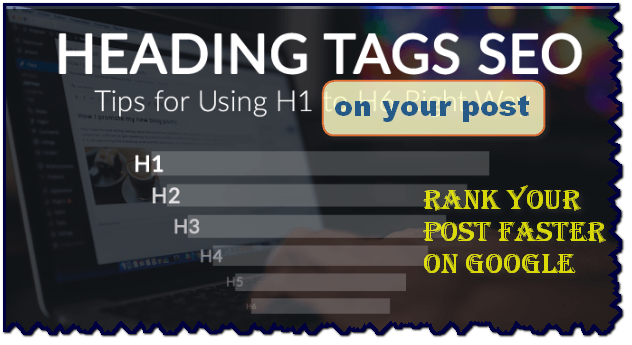
Dear Learnmore trick Viewers! If you are professional Blogger then you must Change Blogger Post Title from H3 to H1 _Heading tag for SEO setting.Each post have multiple headings,In blogging you can find out H1 ,H2,H3,H4,H5,H6 heading tag where,H1tag indicates for your Blog post Title,H2 for Blog post Heading,H3 for Sub heading and so on.
Why ‘h1’ Heading tag is important for Blogger?
- ‘H‘ means Heading.A very important factor affacting on-site SEO is the use of heading tags.Having a clear hierachy in your heading tags will make it more user friendly.
- H1 tag is a first header tag which is visible on your post first.
- Search engines might also understand better which parts of the content are connected to each other and which are seprate because of this.
- Search engines first focus on h1 and then h2…..etc.So you have high chance to rank your post on google search engine.

- h1 is most commonly used for blogspot blog title and h2 for blog description,post title and some others.
- While Crawling the content of your blog post,Search engine read the HTMLcode and they try to identify which sentences are enclosure with in heading tags (h1,h2,h3,…etc)
- If you using heading ,SEO make it easier for user to native through page
I highely recommended to try to use only one H1 tag in a page.
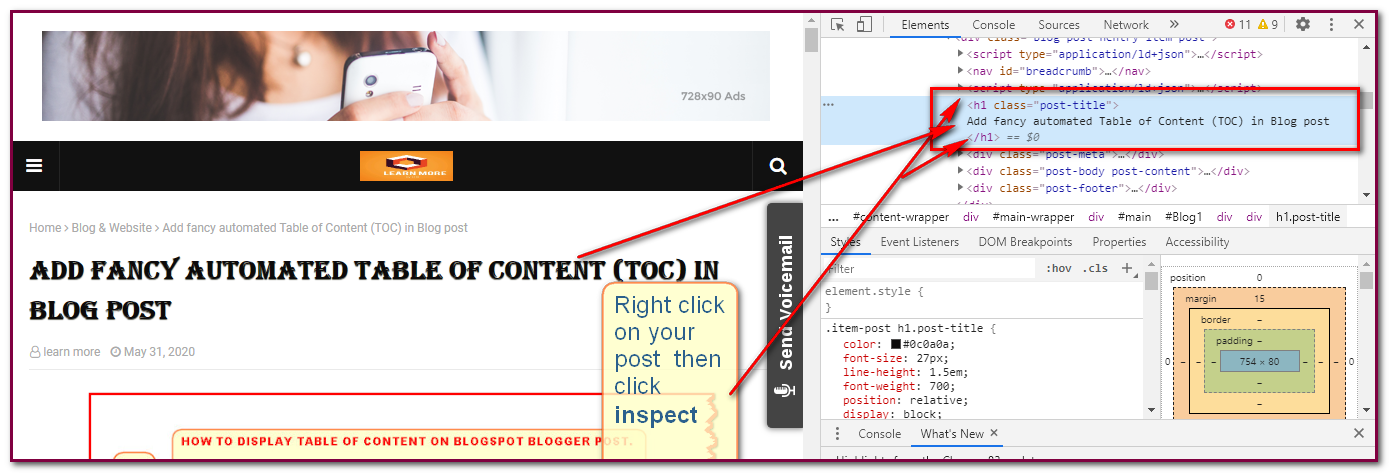
How to identify by-defult heading tag on your Blog?
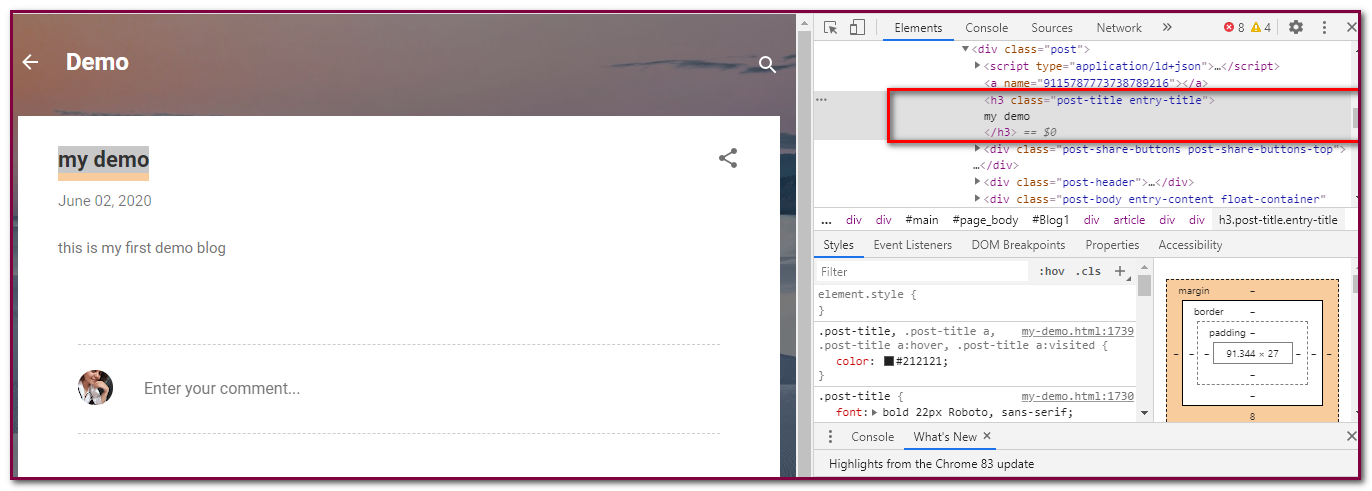
Step-3 : You can see highlighted <h3 class=”post-title entry….. (here by defult h3 tag is post post title we need to convert h3 to h1 tag.
How to change by-defult post-ti
How to change by defult post-title tag from ‘h3’ to ‘h1’?
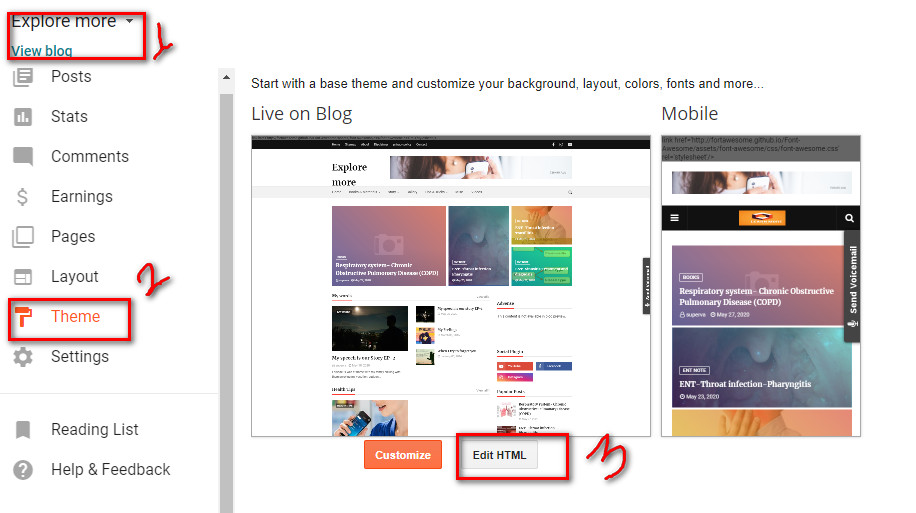
Step 2: Go to theme and click edit html
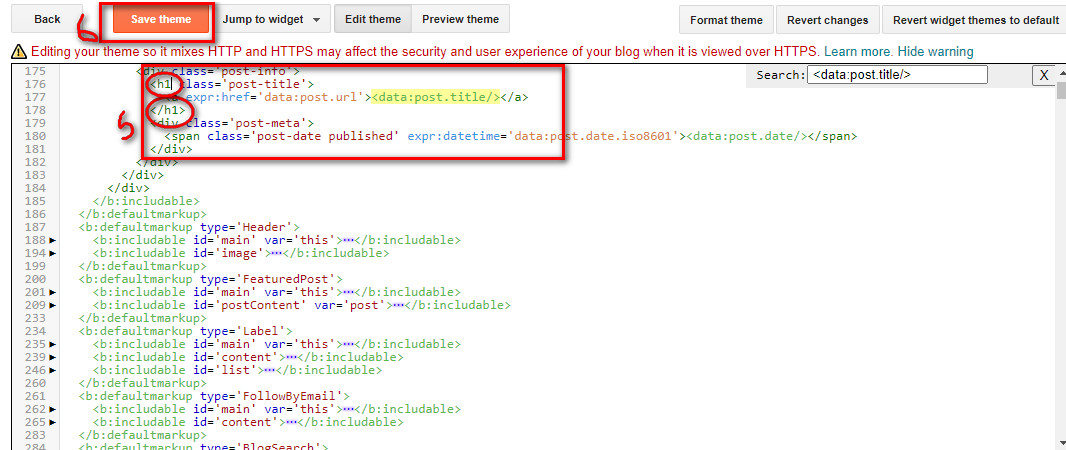
Step 5: Again click on search box and type <data:post.title/>,now you find this one enclosed in h3 tag,Change all the h3 tag in to h1 tag. (it could be more than one no your templetes change all h3 to h1)

Step 6: Finally when you convert all tags from h3 to h1 then click on save buttom and lets check it .
How to identify by defult heading tag on your blog?